Loading...
A Home for Music on Your Home Screen — How to Open Album Sweet with One Tap
機能を用意した想い

A Home for Music on Your Home Screen — How to Open Album Sweet with One Tap

Sometimes on the train, you suddenly want to listen to that album. Before bed, something to end the day. During the last 10 minutes of lunch break, you want to gaze at album artwork while sipping coffee. These moments come suddenly. In such times, opening a browser, typing a URL, searching for bookmarks—by then, the feeling has cooled down. With Album Sweet on your home screen, it's just one tap. Just like an app, simply tap the icon and you're instantly in the world of music. When you have a little time and want to spend it gazing at album covers with Drift (screensaver), that also starts with just 2 taps from the home screen.
Table of Contents
  1. Those Sudden Moments of Wanting to Listen
  2. Full-Screen Immersion
  3. iPhone — Adding to Home Screen
  4. Android — Adding to Home Screen
  5. A Home for Music on Your Home Screen

Those Sudden Moments of Wanting to Listen

Sometimes on the train, you suddenly want to listen to that album.

Before bed, something to end the day. During the last 10 minutes of lunch break, you want to gaze at album artwork while sipping coffee. These moments come suddenly.

In such times, opening a browser, typing a URL, searching for bookmarks—by then, the feeling has cooled down.

With Album Sweet on your home screen, it's just one tap. Just like an app, simply tap the icon and you're instantly in the world of music.

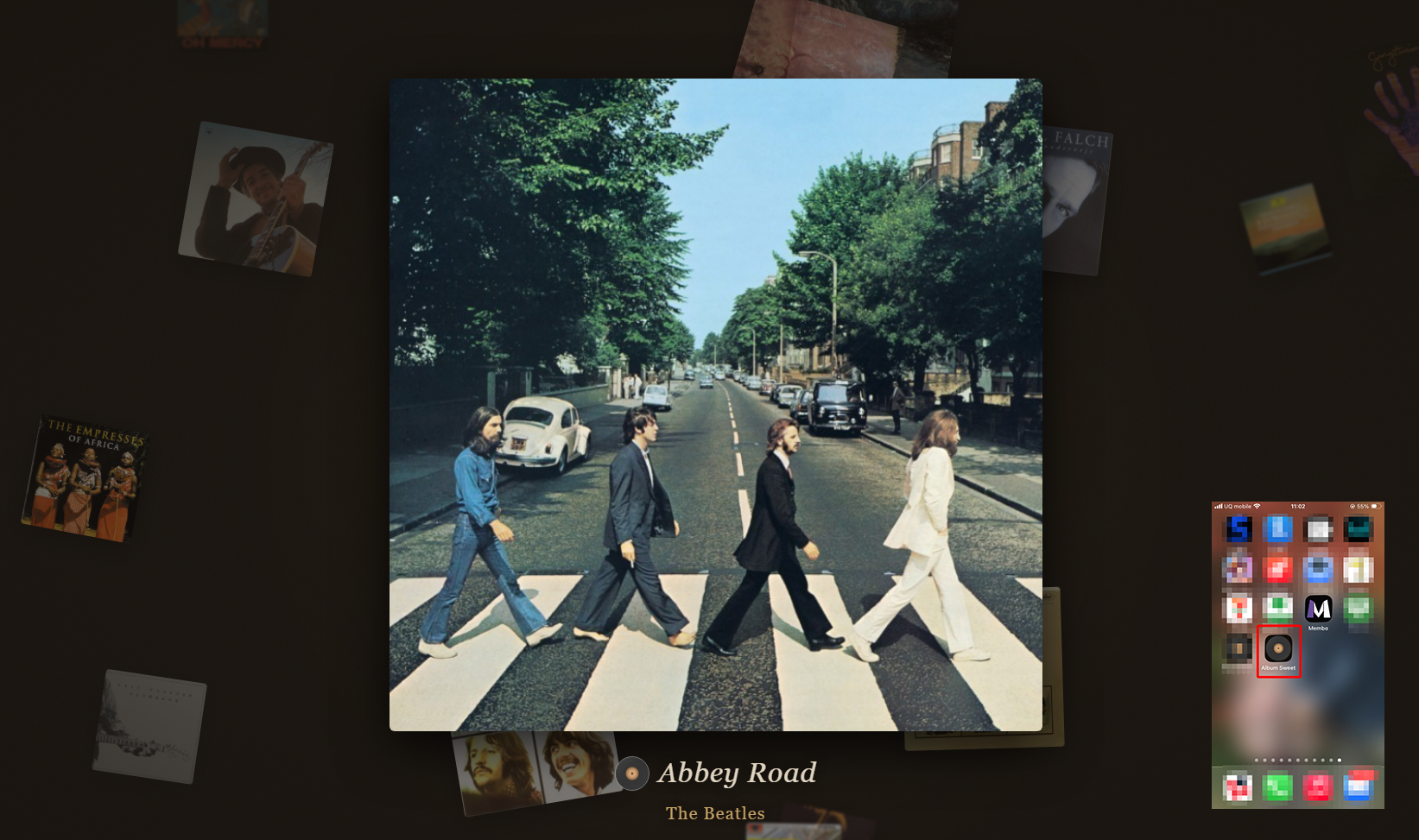
When you have a little time and want to spend it gazing at album covers with Drift (screensaver), that also starts with just 2 taps from the home screen. Tap the icon, select Drift. That's all it takes for jacket art to begin quietly drifting.

Full-Screen Immersion

Album Sweet launched from the home screen is different from a regular browser.

No address bar. No navigation buttons. Album Sweet fills the entire screen. Just like a dedicated app.

This difference is bigger than you might think.

You can immerse yourself in album artwork without being distracted by URL bars. When going full-screen with Drift, nothing unnecessary enters your field of vision. You can focus solely on experiencing the fascination and beauty of albums.

No need to download from an app store. Uses almost no storage. Updates automatically to the latest version. No hassles whatsoever. Just place an icon on your home screen.

The process is very simple. Please follow the steps below according to your smartphone.

iPhone — Adding to Home Screen

Open album-sweet.com in Safari and follow these steps.

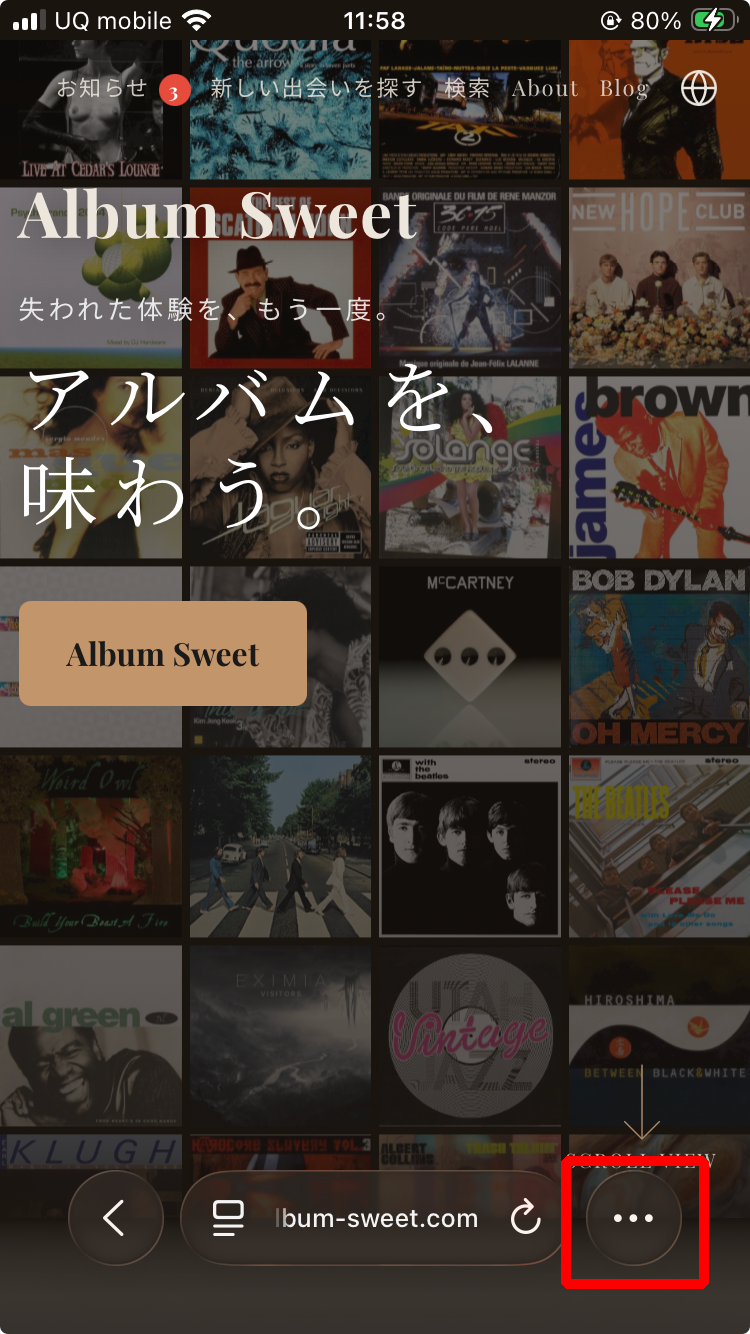
1. Tap "…" in the bottom right

Album Sweet displayed in iPhone Safari. The ... button in the bottom right is highlighted with a red frame
Tap the "…" (more) button in the bottom right of the screen

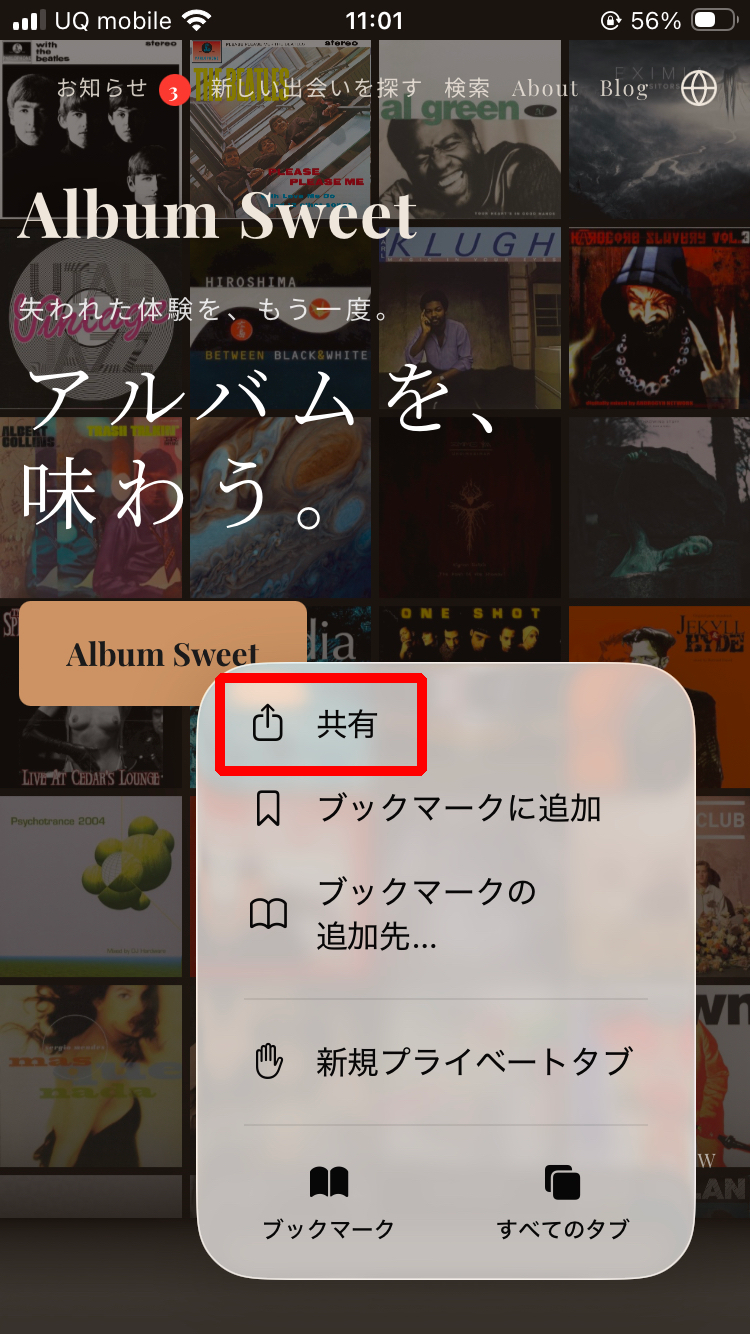
2. Tap "Share"

Selecting Share from the menu
Select "Share" from the displayed menu

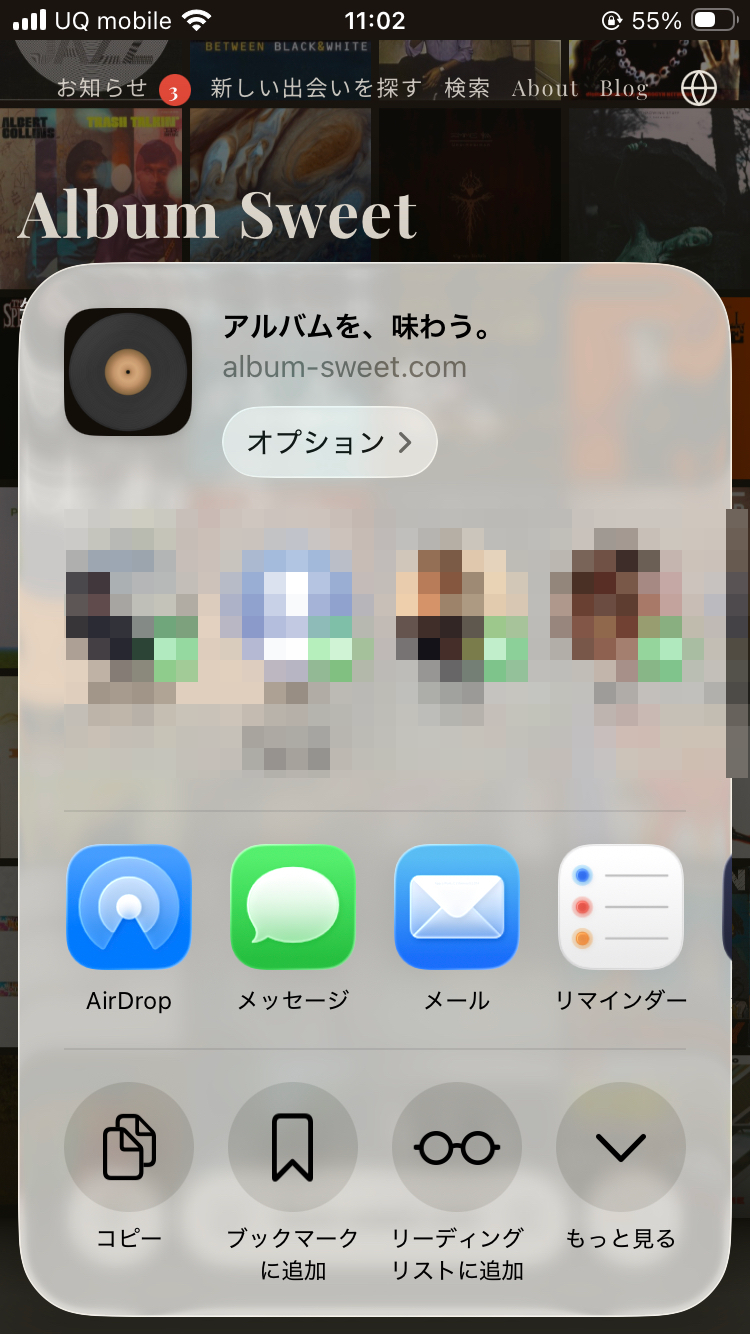
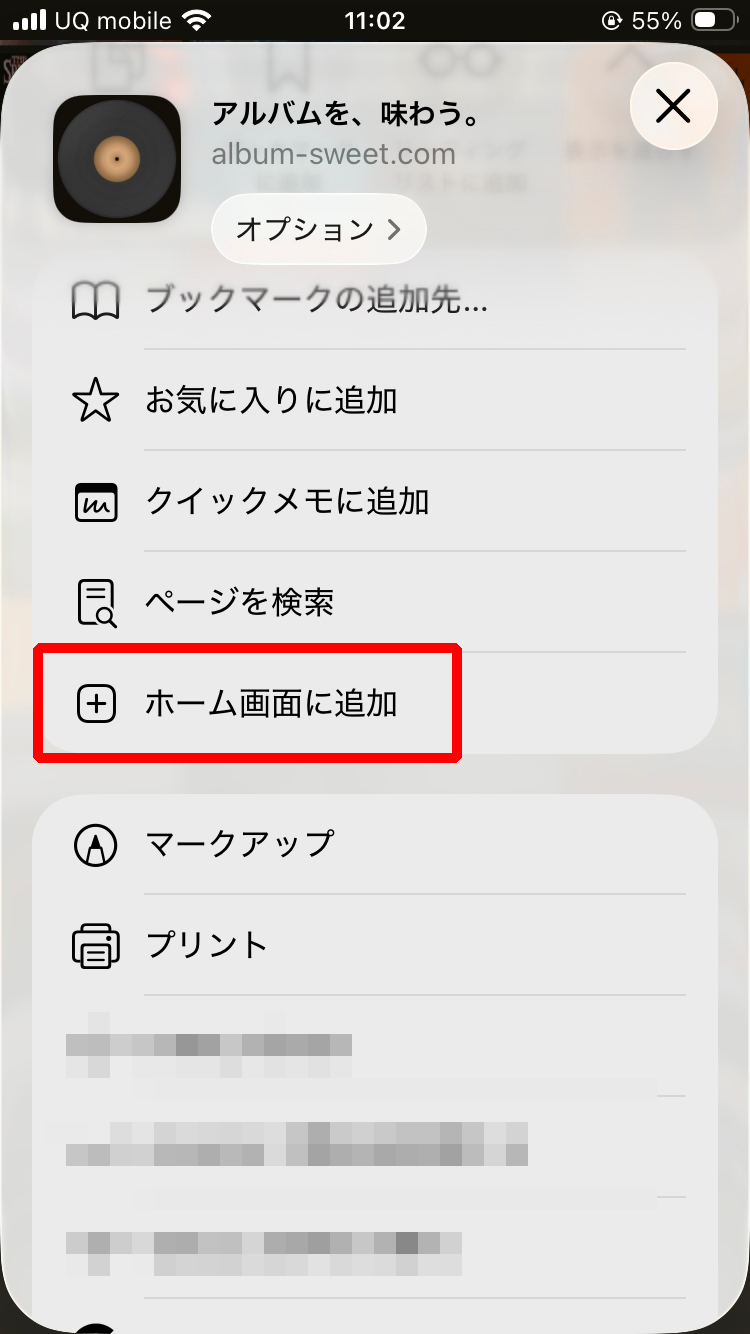
3. Scroll down and tap "Add to Home Screen"

Share sheet displayed Add to Home Screen button highlighted with red frame
Scroll down the share sheet to find "Add to Home Screen"

That's it

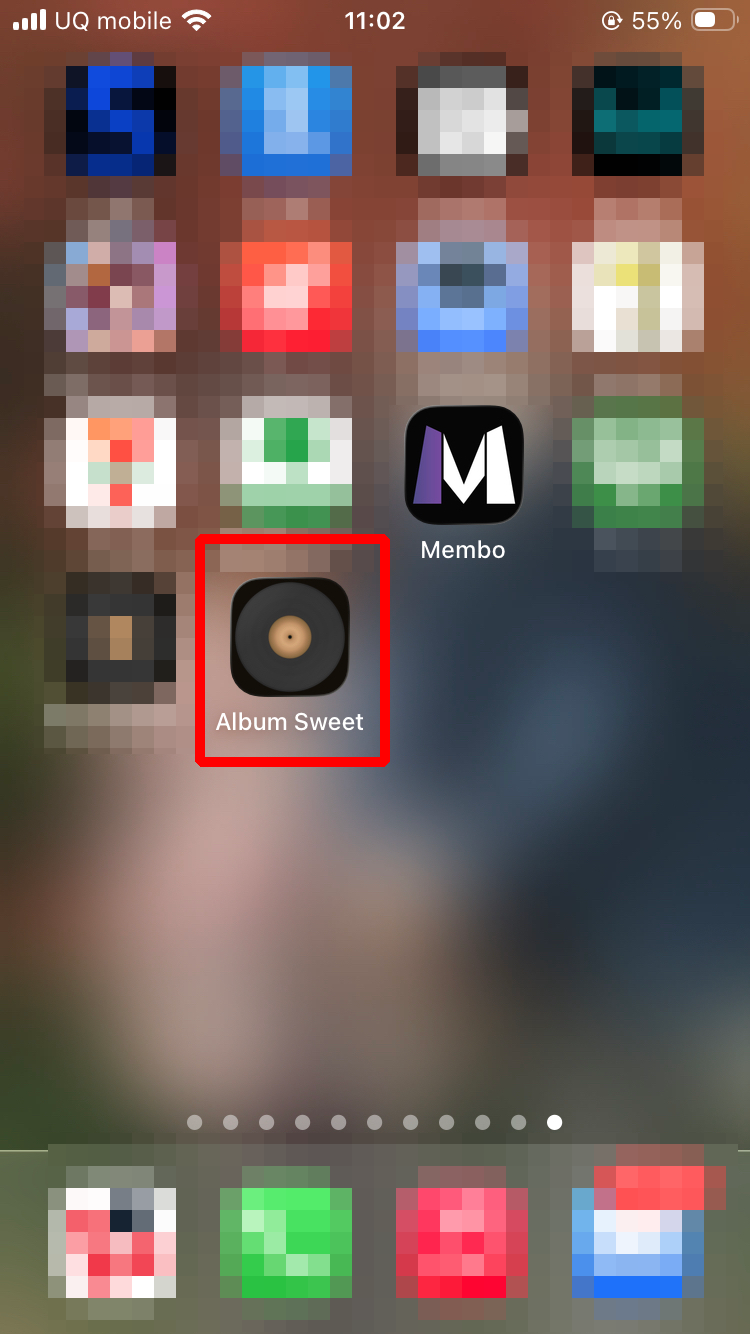
The Album Sweet icon appears on your home screen. From now on, just tap it.

Album Sweet icon added to home screen
Album Sweet joins your home screen

Android — Adding to Home Screen

Open album-sweet.com in Chrome and follow these steps.

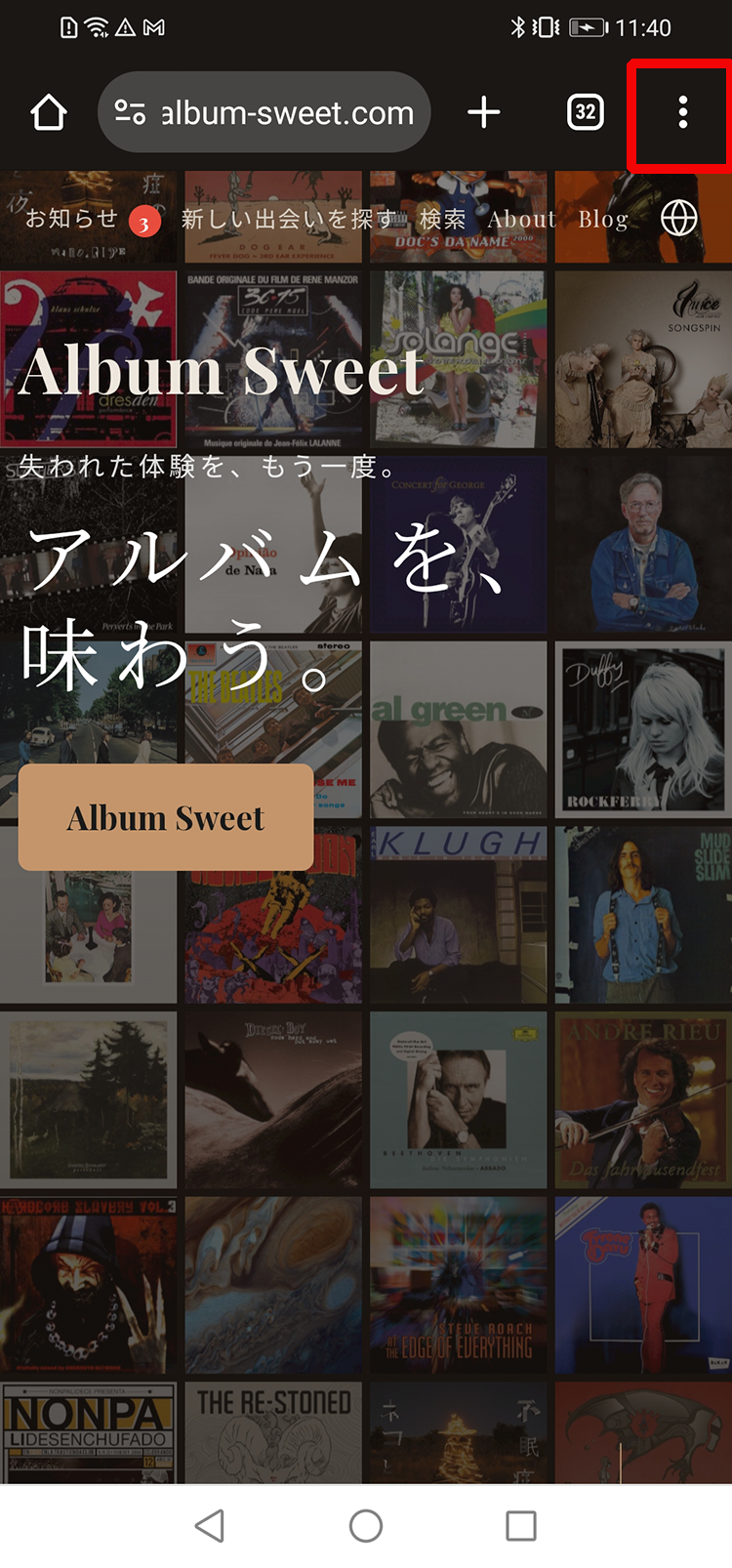
1. Tap "︙" in the top right

Album Sweet displayed in Android Chrome. The menu button in the top right is highlighted with a red frame
Tap the "︙" (three-dot menu) in the top right of the screen

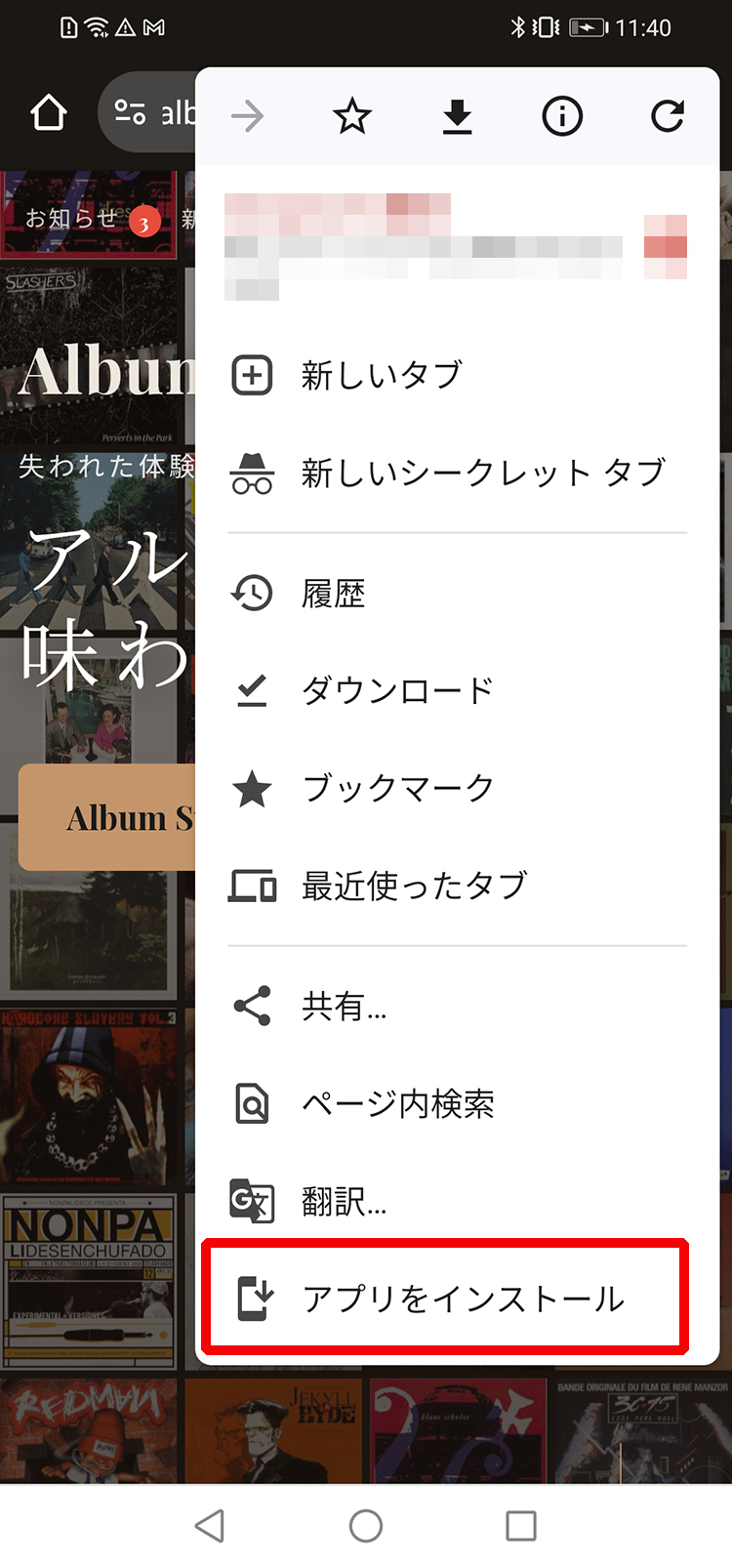
2. Tap "Install app"

Selecting Install app from the menu
Select "Install app" from the bottom of the menu

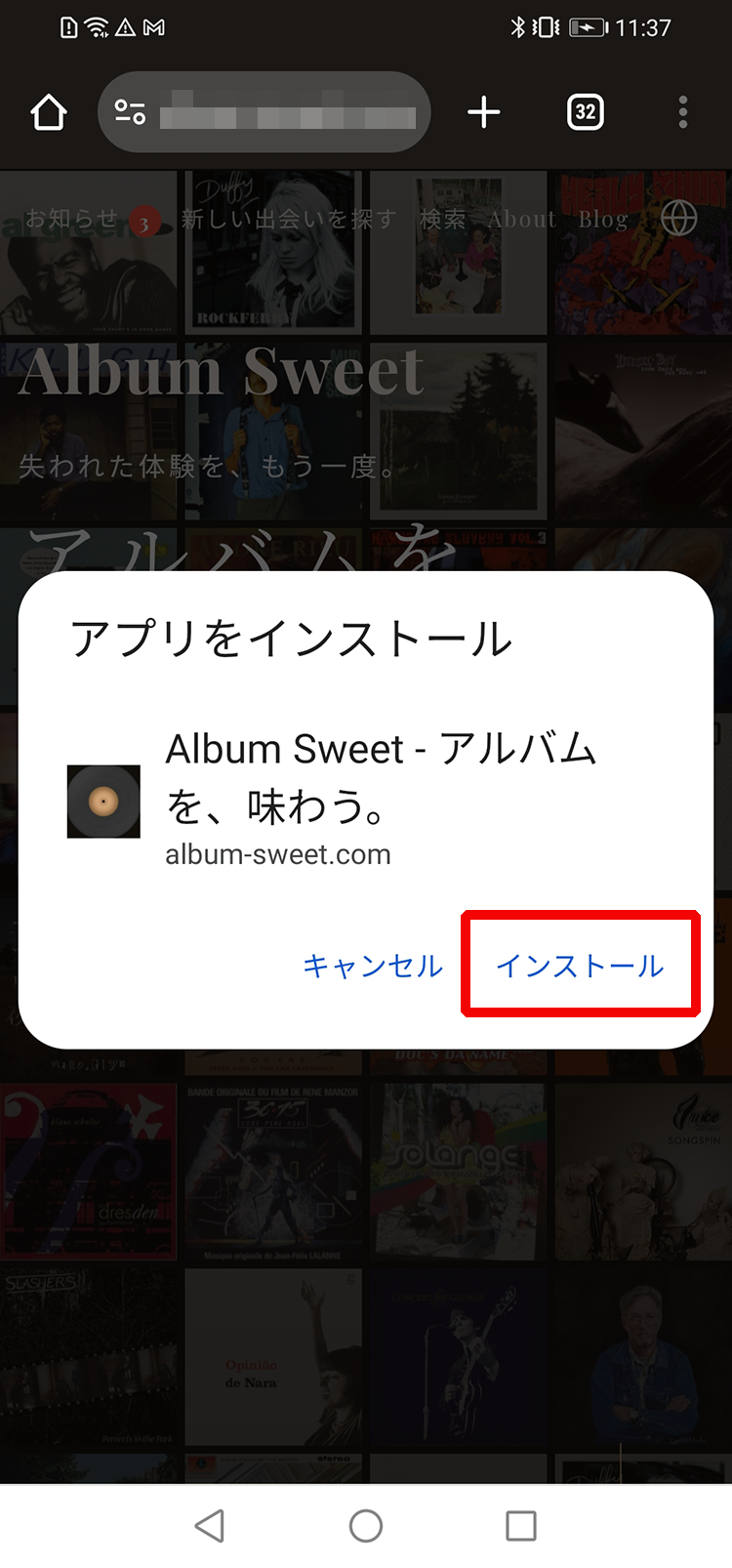
3. Tap "Install"

Install confirmation dialog. Install button highlighted with red frame
Tap "Install" in the confirmation dialog

That's it

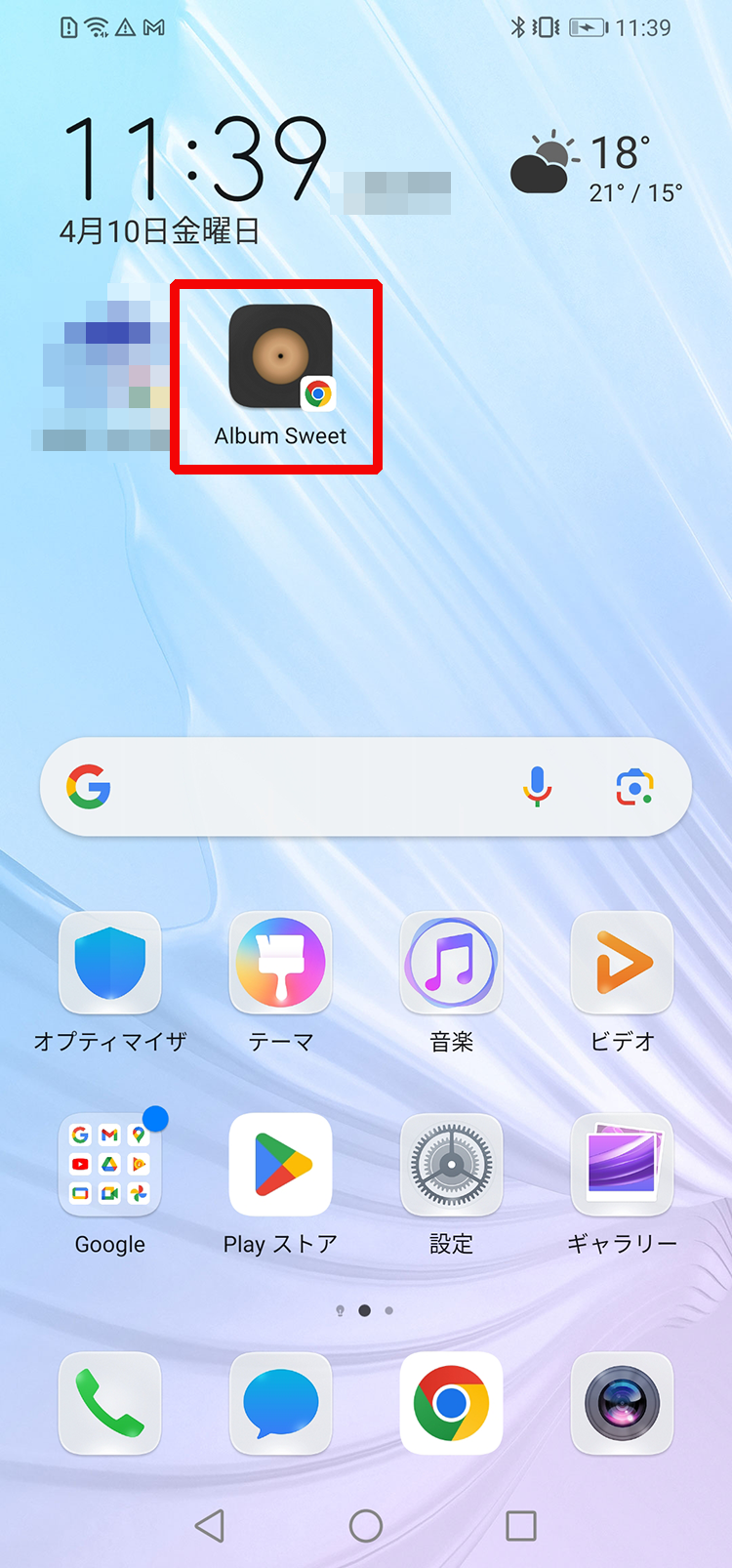
The Album Sweet icon appears on your home screen. Just like an app, one tap takes you to the world of music.

Album Sweet icon added to home screen
Album Sweet joins your home screen

A Home for Music on Your Home Screen

Having an icon on your home screen changes your relationship with music.

The moment you think "I want to listen," you're already there. Browse the record collection, tap on an interesting cover, and the sound starts flowing. All in just a few seconds.

I want you to open Album Sweet like opening the door to a used record store. Just like in the old days, time to savor entire albums is waiting for you on your home screen.

Album Sweet — Savor albums.

About the Author

Album-Loving Dad After All

Web Advertising Creator

Namio Ikeda

Spent my twenties haunting used record stores, tracing musicians' roots through LP back cover credits. While continuing band activities, I've moved back and forth between the worlds of music and web. Album Sweet was born to realize the experience of "savoring entire albums" once again in digital form. In the sister service membo.info, I write about band member recruitment as a "persistently hopeful band dad."