Loading...
Time to Savor Albums — Experience Album Art with the New "Drift" Feature
機能を用意した想い

Time to Savor Albums — Experience Album Art with the New "Drift" Feature

Table of Contents
  1. Introduction — What We Lost in the Streaming Era
  2. What Album Sweet Aims For
  3. New Feature "Drift" — A Screensaver Where Album Art Floats
  4. How to Use Drift
  5. How to Enjoy Drift
  6. On Smartphones Too
  7. Album Hunting Is Also a Journey to Find Companions
  8. Conclusion

Introduction — What We Lost in the Streaming Era

Listening to music through subscriptions has become commonplace. With just a smartphone, we can access tens of millions of songs. It's convenient. Really convenient. But sometimes, I can't help but think...

Something is missing.

In my twenties, I used to hang out at used record stores. I'd pull LPs from the shelves and first gaze at the cover. Then flip it over to read the credits. "Oh, this guitarist also played on that album." From there, I'd go searching for other albums. Before I knew it, hours had passed. That time had already begun before I actually "listened" to the music.

Albums have a "flow." From the moment the first track's intro plays until the last sound fades away. There's a landscape that only becomes visible when you listen through the entire work in the order the artist intended. Even that pause when flipping a record from side A to side B was part of the experience.

In the streaming era, we've come to consume music track by track. Playlists are convenient, but somewhere along the way, the time to fully savor an album as a complete "work" has disappeared from our lives.

Couldn't we experience that feeling again digitally? That exciting sensation of picking up an LP at a record store? This service was born from such thoughts.

What Album Sweet Aims For

"Savor Albums."

This is Album Sweet's catchphrase and, quite literally, the reason this service exists.

Album Sweet is a space for thoroughly savoring one album at a time. Browse artist information, listen to music, and admire album artwork. We created it to reclaim the time to engage with albums as complete "works," rather than consuming music track by track.

We've gathered reliable data from vast information sources like MusicBrainz, Spotify, and YouTube, consolidating it all in one place so you can see the full picture of an album. Musician credits, related albums, links to external services. You can once again embark on the journey of discovery that you used to follow from the credits on the back of records.

We want to deliver an experience that "stimulates curiosity" — something existing music services don't offer. That's what Album Sweet aims for.

New Feature "Drift" — A Screensaver Where Album Art Floats

Today we're introducing "Drift" — a screensaver feature where album artwork quietly drifts across your screen.

When you launch Drift, your screen transforms into a dark, warm space. Various album covers begin to slowly drift through that space.

Drift screensaver full screen. Album covers floating against a dark background
Album covers drifting through dark space

Occasionally, one cover is quietly focused and displayed large in the center of the screen. The album name and artist name are gently added. Then music from that album begins playing via YouTube.

Drift focus display. Muddy Waters' Hollywood Blues Summit 1971 is prominently displayed
One cover is quietly focused — Muddy Waters "Hollywood Blues Summit 1971"

Just watching the drifting covers makes you feel like you're traveling through an ocean of music. The joy of reuniting with albums you know. And the pleasure of encountering albums you don't yet know through their artwork. Quiet, deep, and flavorful. Such time exists here.

How to Use Drift

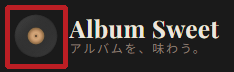
Starting it is very simple. From any page on Album Sweet, just click the LP icon in the top left of the header.

LP icon in the top left of the Album Sweet header
LP icon in the top left of the header. Click here to start Drift

When you want to exit, just press the Esc key or click the "Exit" button displayed at the top of the screen.

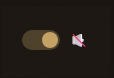
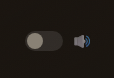
Music playback can be toggled ON/OFF with the toggle switch in the bottom right. In situations where you can't play sound, like during work, you can enjoy just the drifting covers in silent mode.

Drift sound toggle ON state Drift sound toggle OFF (silent) state
Left: With sound / Right: Silent

When an album is in focus and you think "I want to know more about this album," try clicking the LP icon that appears next to the cover. You'll be taken to that album's detail page. Participating musicians, track listings, related albums. The experience of following credits on the back of records awaits you there.

LP icon during Drift focus. Click to go to album detail page
LP icon during focus. Click to go to album details

How to Enjoy Drift

Gaze at Drift during work breaks, coffee in hand. It's fine to just leave it running as background ambiance. The time spent idly watching covers slowly drift across the screen feels comfortable.

Suddenly, an unknown album comes into focus. Beautiful artwork. An unfamiliar artist name. Music starts playing. "I had no idea this album existed." Drift offers the joy of discovering new albums through their covers.

When you find an interesting album, use the LP icon to go to its detail page. Look at the credits there, find the names of musicians you didn't know, and go searching for their other albums. New discoveries begin from there.

Time to savor albums. Drift is the gateway for that.

On Smartphones Too

Drift also works on smartphones. Covers drifting across a small screen have their own different charm.

Drift display on smartphone. Beatles '65 is in focus
You can enjoy Drift on smartphones too — The Beatles "Beatles '65"

On the train during commute. In bed before sleep. During brief moments of free time, try letting covers drift. Just by looking at album artwork, your music appreciation time has already begun.

Album Hunting Is Also a Journey to Find Companions

Having someone to discuss a single album with is a truly happy thing.

"That guitar solo in the third track of that album is just incredible." When you find someone you can have such conversations with, the joy of music expands many times over. Listen to people with various insights about albums, expand your own knowledge and enjoyment. In that process, you gain friends.

Album Sweet's album detail pages also have a comment feature. You can write down what you felt or read other users' impressions. We plan to introduce that feature in detail in this blog eventually.

Album hunting is also a journey to find companions.

Conclusion

Albums are beautiful. Fun. Profound.

Album Sweet is still a service that has just begun. We'll continue adding features for "savoring albums" one by one.

In this blog, we plan to introduce new features and stories related to music. Please feel free to check in from time to time.

Let's savor albums together.

About the Author

Album-Loving Dad Who Just Can't Help It

Web Advertising Creator

Namio Ikeda

Spent his twenties hanging out at used record stores, tracing musicians' roots through LP liner notes. While continuing band activities, he's moved between the worlds of music and web. Album Sweet was born to realize the experience of "savoring complete albums" once again in digital form. At sister service membo.info, he writes about band member recruitment as "The Stubborn Band Dad Who Won't Give Up."